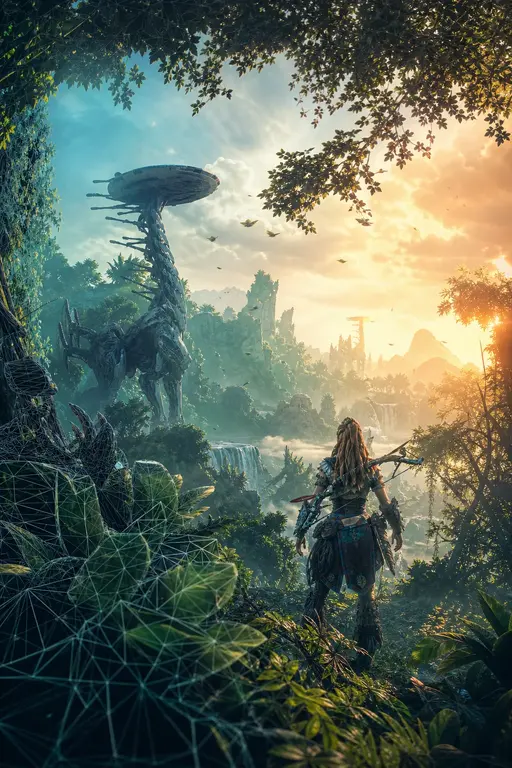
Between Tech and Art: The Vegetation of Horizon Zero Dawn

The Guerrilla Games logo, a stylized 'G' composed of three chevron-like shapes, is located in the top-left corner of the slide.

A screenshot from the video game Horizon Zero Dawn showing a dense, sunlit forest. Tall, slender trees with green foliage stand on a grassy hillside. Sunlight filters through the canopy, creating a warm, golden glow and long shadows. The scene is framed by a dark, geometric pattern on the right side.
1. The Vegetation of Horizon Zero Dawn
Gilbert Sanders – Principal Artist, Guerrilla Games

1.1. Welcome
Guerrilla Games – GDC 2018 – Between Tech and Art: The Vegetation of Horizon Zero Dawn

A stylized logo in the top-left corner of a black rectangular frame. The logo is composed of three nested chevrons pointing to the right, rendered in white. The outermost chevron is the largest, followed by a medium-sized one, and then a small innermost one. The entire logo is positioned in the upper-left corner of the frame.
1.2. Topics
- • Simulation
- • Shading
- • Creation
- • Shadow Casting
- • Summary

A screenshot from the game Horizon Zero Dawn. The scene depicts a lush, hilly landscape with a dirt path leading through tall grass and small shrubs. Several trees with dense foliage are scattered across the hillside. In the background, a small wooden structure, possibly a watchtower or a small house, is visible on a distant peak. The sky is filled with dramatic, orange-hued clouds, suggesting a sunset or sunrise. The overall atmosphere is serene and naturalistic.

Introduction
1.3. Our Renderer
- • Artist Node-Based Shader Editing
- • Our Rendering Engine running in Maya
- • Guerrilla Custom Shader Nodes
- • Deferred Shading
- • Targeting 30 fps at 1080p / 4K

The DECIMA logo is located in the top right corner. It features a stylized circular icon composed of horizontal lines, with a red vertical bar at the bottom. To the right of the icon, the word "DECIMA" is written in a clean, sans-serif, uppercase font.
Introduction
1.4. Horizon Zero Dawn
- • Open World Action RPG
- • Day and Night Cycle
- • Post - Post Apocalyptic Northern America
- • 'BBC' Nature
- • Robotic Wildlife

Introduction
1.5. Our first steps...
1.5.1. Killzone Shadow Fall:
- • First Real Test in Production
- • Quality and Performance
- • Placement System Needed!

A screenshot from the game Killzone Shadow Fall. The scene depicts a character in a red and black tactical suit standing on a wooden platform or bridge structure built within a dense, lush forest. The platform is surrounded by tall, green trees and foliage. In the background, a body of water and distant mountains are visible under a clear sky. The lighting is bright, suggesting daytime. The image is overlaid with a semi-transparent geometric pattern of triangles.
1.5.2. Placement System
2017 GDC Talk – Jaap van Muijden,
GPU-Based Procedural Placement
in Horizon Zero Dawn
- • Quick iterations
- • Large variety and Believable look
- • Art Directable
- • Data driven
- • Deterministic
- • Locally stable

A screenshot from the game Horizon Zero Dawn showing a lush, sunlit forest scene. The image features tall, slender trees with dense green foliage, some covered in ivy. The ground is covered in a variety of plants, including tall grasses and large, broad-leafed plants. The lighting is warm and golden, suggesting a sunrise or sunset, with rays of light filtering through the trees. The overall scene is highly detailed and visually appealing, showcasing the game's advanced vegetation system.


1.6. Simulation
Guerrilla Games – GDC 2018 – Between Tech and Art: The Vegetation of Horizon Zero Dawn
Simulation
1.7. Making Foliage Move
All Movement is driven by a Global Wind Force Field
- • Compute Shader: around 150 microseconds
- • Local Around the Player / Camera
- • Baked-in Physical Properties
- • Supports up to 4 Different Categories of Spring Settings

A large, detailed tree with green foliage and a thick, gnarled trunk, standing on a patch of dry, yellowish-brown grass and low-lying plants. To the left of the tree is a smaller, bushy plant. The background is a bright, hazy sky with distant blue hills visible on the horizon.

- Scene fields enabled
- Enable turbulence
- Enable flow
-
Show flow field vectors
Click vector field at camera - Show flow field probes
-
Main Probes
- Flow Curves
- Main Probes with 3D Particle Cam
- Look Modes
- Scene Forward Cascade
- Scene Near Cascade
- Scene Mid Cascade
- Scene Far Cascade
- Scene Forward Solver
- Scene Detail Solver
- Scene Grass Solver
- Scene Hair Solver
- Scene Tree Solver
- Scene Visualization Scale
- Slider Scale 0.963 5.0000000e+000
- Scene Visualization Scale 0.963 5.0000000e+000
- Scene Size 5.0000000e+000
- Enable Autoacceleration
- Replay speed multiplier 1.40
- Scene Acceleration Factor 25.00
- Replay speedup 9.47
Simulation
1.7.1. Making Foliage Move
1.8. Categories of Spring Settings:
- • Trees
- • Vegetation_Shader
- • Plants
- • Vegetation_Shader
- • Grasses
- • Vegetation_Grass_Shader
- • Special
- • Sampled by Banners, Tarps, Canvas, etc.

A 3D rendered landscape featuring a large, leafy tree and a smaller bush on a grassy hill. The scene is set against a bright, hazy sky. The ground is covered with various types of grass and small plants, some of which are highlighted with a yellowish glow. The overall aesthetic is that of a high-quality video game environment.

1.8.1. Trees and Plants
Guerrilla Games – GDC 2018 – Between Tech and Art: The Vegetation of Horizon Zero Dawn
Simulation
1.8.1.1. Vertex Program: Trees
Three Levels of Motion

A detailed 3D rendering of a large, mature tree, likely a cedar or similar species, with a thick, gnarled trunk and a dense, rounded canopy of green foliage. The tree is set against a light gray background with a subtle geometric pattern. The foliage is rendered with a high level of detail, showing individual needles and branches.
Simulation
1.8.2. Vertex Program: Trees
Three Levels of Motion:
- • Tree Movement (Bend)
- • Height of the Object

A 3D rendered tree with a dark, textured trunk and a dense, green, feathery canopy. A thick yellow arrow points vertically upwards from the base of the trunk to the top of the canopy, illustrating the 'Height of the Object' mentioned in the text.
Simulation
1.8.2.1. Vertex Program: Trees
Three Levels of Motion:
- • Tree Movement (Bend)
- • Height of the Object
- • Branch Movement
- • Distance to Trunk

A 3D rendered tree with a dark brown trunk and branches, and dense green foliage. A yellow arrow points from the trunk towards the left side of the canopy, illustrating the concept of branch movement or bending.
Simulation
1.8.2.2. Vertex Program: Trees
Three Levels of Motion:
- • Tree Movement (Bend)
- • Height of the Object
- • Branch Movement
- • Distance to Trunk
- • Leaf Movement
- • Distance to Branch

A 3D rendered tree with a black trunk and branches, and bright red foliage. A yellow arrow points to a branch on the left side of the tree.
Simulation
1.8.2.3. Vertex Program: Trees
Three Levels of Motion:
- • Tree Movement (Bend)
- • Height of the Object
- • Branch Movement
- • Distance to Trunk
- • Leaf Movement
- • Distance to Branch
- • Other Data
- • Index / Offset

A stylized, vibrant green tree with a thick trunk and dense foliage, rendered against a light gray background with a subtle geometric pattern. The tree has a main trunk that splits into several branches, each covered in dense, bright green leaves. The overall shape is somewhat rounded and bushy. The background is a light gray with a faint, repeating geometric pattern of triangles.
Simulation
1.8.2.4. Vertex Program: Trees
Three Levels of Motion:
- • Tree Movement (Bend)
- • Height of the Object
- • Branch Movement
- • Distance to Trunk
- • Leaf Movement
- • Distance to Branch
- • Other Data
- • Index / Offset
- • Baked Ambient Occlusion

A high-quality 3D render of a tree, likely from the game Horizon Zero Dawn. The tree has a thick, textured trunk that splits into several main branches. The foliage is dense and consists of many small, needle-like or leaf-like structures, giving it a realistic appearance. The tree is positioned on the right side of the slide, with its trunk extending towards the bottom center. The background is a light gray with a subtle, repeating geometric pattern of triangles.
Simulation
1.8.2.5. Vertex Program: Trees
- • Sample from our Global Wind at Object Center
- • Drives the Bend of the Tree
- • Rigidity
- • Drives the Bend of the Branches
- • Bend
- • Sway
- • Lift
- • The length of the Sampled Force drives a tiny 3D Simplex Noise Texture (16x16x16) that we use for the motion of our Leaves.
- • Amount
- • Drives the Bend of the Tree

A 3D rendering of two trees on a small island, demonstrating the results of a simulation. The trees have thick, gnarled trunks and dense green foliage. The island is covered with low-lying green shrubs and tall, dry grass. The background is a light, hazy sky. The entire scene is set against a light gray background with a subtle geometric pattern.
Simulation
1.8.3. Vertex Program: Plants
- • (Most) Plants: Remove Bend
- • Ramp – Soft Clamp Formula:
- •

A graph illustrating the Ramp – Soft Clamp Formula. The x-axis and y-axis both range from 0 to 1, with major grid lines at 0, 0.5, and 1. A straight black line represents the identity function . A smooth, red curve represents the function . The curve starts at the origin (0,0), rises above the identity line, and asymptotically approaches the value 1 as x approaches 1. The curve is concave down, showing a smooth transition from 0 to 1.
Guerrilla Games – GDC 2018 – Between Tech and Art: The Vegetation of Horizon Zero Dawn

A 3D rendering of a desert landscape featuring two large, gnarled trees with dense green foliage. The trees are surrounded by low-lying green bushes and patches of dry, yellowish grass. The ground is sandy and light-colored. The background is a bright, hazy sky, suggesting a vast, open environment.

A stylized logo in the top-left corner, consisting of two white chevrons pointing right, set against a dark background.
1.8.4. Grasses
Guerrilla Games – GDC 2018 – Between Tech and Art: The Vegetation of Horizon Zero Dawn
Simulation
1.8.4.1. Vertex Program: Grass
Grass has three LODs:
- • LOD1
- • 20-36 triangles
- • High shader
- • LOD2
- • 10-18 triangles
- • High shader
- • LOD3
- • 10-18 triangles
- • Low shader

The image displays three pairs of visualizations for grass at different levels of detail (LODs). Each pair consists of a rendered grass tuft and its corresponding wireframe mesh. The first pair on the left represents LOD1, showing a dense, realistic grass tuft and a complex wireframe mesh with many overlapping planes. The middle pair represents LOD2, showing a slightly less dense tuft and a simpler wireframe mesh with fewer planes. The third pair on the right represents LOD3, showing a sparse tuft and a very simple wireframe mesh with a minimal number of planes. The wireframes are colored in blue and green, and the rendered grass is green.

Simulation
1.8.4.2. Vertex Programs: Making Grass Move
- • Our Global Wind

A large, detailed image of a grassy field, likely from the game Horizon Zero Dawn. The grass is rendered with a high level of detail, showing individual blades in various shades of green and yellow, suggesting a simulation of wind and light. The image is positioned on the right side of the slide, partially overlapping the white background.

Simulation
1.8.4.3. Vertex Programs: Making Grass Move
- • Our Global Wind
- • Ambient Motion
- • Large Scale Motion:
x = (2 * Sin (1 * (ObjectCenterX + ObjectCenterY + ObjectCenterZ + Time))) + 1
y = (1 * Sin (2 * (ObjectCenterX + ObjectCenterY + ObjectCenterZ + Time))) + 0.5
z = 0
Simulation
1.8.4.4. Vertex Programs: Making Grass Move
- • Our Global Wind
- • Ambient Motion
- • Large Scale Motion:
x = (2 * Sin (1 * (ObjectCenterX + ObjectCenterY + ObjectCenterZ + Time))) + 1
y = (1 * Sin (2 * (ObjectCenterX + ObjectCenterY + ObjectCenterZ + Time))) + 0.5
z = 0
- • Small Scale Motion:
Disp = (0.065 * Sin (2.650 * (PointWX + PointWY + PointWZ + Time)))
* NormalObject * (1, 1, 0.35)

Simulation
1.8.4.5. Vertex Programs: Making Grass Do More
- • On top of the motion, we also add:
- • Camera Based Tilting
Disp = [Vec3 (0, 1, 0) View to Object Space] * ObjectPosZ

A character from the game Horizon Zero Dawn is shown in profile, walking towards the right. She is wearing her signature blue and brown tribal-style armor. To her right is a patch of tall, dark grass. A red wireframe bounding box is drawn around the grass, and a red line extends from the top of the box, pointing towards the top right corner of the frame, illustrating the concept of camera-based tilting.
Simulation
1.8.4.6. Vertex Programs: Making Grass Do More
- • On top of the motion, we also add:
- • Camera Based Tilting
Disp = [Vec3 (0, 1, 0) View to Object Space] * ObjectPosZ

A character from the game Horizon Zero Dawn, Aloy, is shown in profile, standing on a flat surface. To her right is a patch of grass. The grass is rendered with black blades and is enclosed within several overlapping red wireframe boxes. A red line extends from the top of the grass area towards the top right corner of the frame, illustrating the camera-based tilting effect mentioned in the text.

Simulation
1.8.4.7. Vertex Programs: Making Grass Do More
- • On top of the motion, we also add:
- • Ground Hugging
Disp = (0, 0, ([Sampled Height from Height map] - ObjectCenterZ))
Simulation
1.8.4.8. Vertex Programs: Making Grass Do More
- • To facilitate better Lodding, over distance :
- • we scale the whole animation part down
Displacement = [Percentage of All Animation] based on Distance to Camera
- • we vertically push the vertices of the mesh down
Displacement = [Percentage of Object Height] based on Distance to Camera


The Guerrilla Games logo, a stylized 'G' composed of three chevron-like shapes, is located in the top-left corner of the slide.

A screenshot from the video game Horizon Zero Dawn showing a dense forest. Tall, slender trees with thick, textured bark and lush green foliage dominate the scene. Sunlight filters through the canopy, creating dappled light and long shadows on the forest floor. The image is overlaid with a faint, light-gray triangular grid pattern.
1.8.5. Shading – Alpha
Guerrilla Games – GDC 2018 – Between Tech and Art: The Vegetation of Horizon Zero Dawn
Shading
1.8.5.1. Pixel Program: Alpha
- • Depth Only Pass:
- • Very Cheap Depth Only Shader
- • Geometry Pass:
- • Depth Compare (Depth is Equal)
- • Zero percent Overdraw!


A dense forest scene featuring tall, slender trees with thick, textured bark. The trees are covered in lush green ivy, particularly on the left and right sides. The foliage is dense and vibrant green, with some leaves showing a golden-yellow hue, suggesting a late summer or autumn setting. Sunlight filters through the canopy, creating a warm, golden glow and casting long, dappled shadows on the forest floor. The ground is covered in a thick layer of green grass and low-lying plants. In the background, more trees are visible, some with lighter-colored bark, and a soft blue sky peeks through the branches. The overall atmosphere is serene and natural.
1.8.5.1.1. Scalpel GPU Profiler

GPU Profile 2 3 4 5 6 7 8 9 10 11 12 13 14 15 16 17 18 19 20 21 22 23 24 25 26 27 28 29 30 31 32 33 34 35 36 37 38 0 Events
placement Frame 10 / 10
1.8.5.1.2. Draw Hierarchy / Samplers / Render targets / Render state / Shader state
| Name | Triangles | Tris/Pixel | Cycles/Pixel | Instances | DrawCalls | ||
|---|---|---|---|---|---|---|---|
| Geometry | 11.675% | 0.00% | 1,201,591 | 0.00 | 0.00 | 15,152 | 1,649 |
| Shadows | 9.858% | 0.00% | 576,726 | 0.00 | 0.00 | 7,614 | 949 |
| Depthprime | 9.670% | 0.00% | 957,091 | 0.00 | 0.00 | 14,284 | 1,355 |
21.345 %
1.8.5.1.3. Legend
- Pan Area ALT + Mouse Drag
- Zoom Area Mouse Drag
- Zoom Bar DoubleClick
- Zoom All CTRL + DoubleClick
- Packet to TTY/Clipboard RMB on Packet
- Record Hold Space
- Scrub Frame Left/Right
- Live View ESC
1.8.5.1.3.1. Selection
- Same name Ctrl + Hover
- Same name + context Ctrl + Shift + Hover
1.8.5.1.3.2. Table controls
- Row select Up/Down
- Page skip PgUp/PgDown
- First/Last row Home/End
- Column select Tab
- Use item Enter
- Expand all CTRL + Enter
- Collapse all ALT + Enter
- Print table T
- Save to file D
1.8.5.1.4. Scalpel GPU Profiler
GPU Profile 2 3 4 5 6 7 8 9 10 11 12 13 14 15 16 17 18 19 20 21 22 23 24 25 26 27 28 29 30 31 32 33 34 35 36 37 38 0 Events placement Frame 10/10

1.8.5.1.5. Draw Hierarchy / Samplers / Render targets / Render state / Shader state
| Name | Triangles | Tris/Pixel | Cycles/Pixel | Instances | DrawCalls | ||
|---|---|---|---|---|---|---|---|
| Geometry | 45.560% | 0.000% | 1,296,684 | 0.00 | 0.00 | 15,938 | 1,645 |
| Shadows | 10.853% | 0.000% | 597,924 | 0.00 | 0.00 | 7,981 | 1,145 |
45.560 %
1.8.5.1.5.1. Legend
Pan Area ALT + Mouse Drag
Zoom Area Mouse Drag
Zoom Bar DoubleClick
Zoom All CTRL + DoubleClick
Packet to TTY/Clipboard RMB on Packet
Record Hold Space
Scrub Frame Left/Right
Live View ESC
1.8.5.1.5.2. Selection
Same name Ctrl + Hover
Same name + context Ctrl + Shift + Hover
1.8.5.1.5.3. Table controls
Row select Up/Down
Page skip PgUp/PgDown
First/Last row Home/End
Column select Tab
Use item Enter
Expand all CTRL + Enter
Collapse all ALT + Enter
Print table T
Save to file D
Shading
1.8.5.2. Pixel Program: Alpha
Alpha Testing, Initial HZD setup:
- • Alpha Textures are Signed Distance Textures
- • Artists controlled size in Shader
- • Artists controlled over Distance Quality
- • Snow(flakes) in our Shader adjusted the Alpha

A 3D rendered bush with green leaves and a shadow, demonstrating the result of alpha testing. The bush is positioned in the lower center of the slide, casting a soft shadow on the ground.

A signed distance alpha texture showing a complex, branching pattern, likely representing a snowflake or a similar natural phenomenon. The texture is displayed in a square frame with a grid overlay. An orange label at the bottom right reads "SIGNED DISTANCE ALPHA TEXTURE".

A close-up, high-angle shot of a dense carpet of ferns. The majority of the ferns are a vibrant green, with their fronds showing a distinct pinnate structure. In the lower-left foreground, there is a cluster of ferns that have turned a deep brown or tan color, indicating they are dried or dead. The lighting is soft and directional, coming from the upper left, which creates subtle highlights on the green fronds and casts gentle shadows, adding depth to the texture of the foliage. The background is a continuation of the green ferns, slightly out of focus, creating a sense of a vast, undisturbed natural space.
1.8.5.2.1. Scalpel GPU Profiler

EPU Profile 2 3 4 5 6 7 8 9 10 11 12 13 14 15 16 17 18 19 20 21 22 23 24 25 26 27 28 29 30 31 32 33 34 35 36 37 38 0 Events
Depthprime Geometry Deferred Light Shadows Sh Lighting Post Post process Post pr Post Back
DepthOnly Deferred App ShadowCasc Sh Deferred_lgt Sh Sunlight Sh Sunlight rend. Angular V. AI Cascad A. L. L.
Frame 10 / 10
castor
Draw Hierarchy Samplers Render targets Render state Shader state
Name
Shadows 8.958% 0.00% 1,483,264 0.00 0.00 4,554 59
Geometry 7.354% 0.00% 968,006 0.00 0.00 9,175 19
Depthprime 6.161% 0.00% 968,006 0.00 0.00 9,175 35
DepthOnly 6.161% 0.00% 968,006 0.00 0.00 9,175 35
levels 6.161% 0.00% 968,006 0.00 0.00 9,175 35
worlds 6.161% 0.00% 968,006 0.00 0.00 9,175 35
world 6.161% 0.00% 968,006 0.00 0.00 9,175 35
tiles 6.161% 0.00% 968,006 0.00 0.00 9,175 35
tile_x-06_y-05 6.161% 0.00% 968,006 0.00 0.00 9,175 35
placement 6.161% 0.00% 968,006 0.00 0.00 9,175 35
Placement_Castor_Bean_Plant_b001_c001_L1_lodstub 2.234% 0.00% 266,326 0.00 0.00 122 7
Placement_Castor_Bean_Plant_b001_c001_L4_lodstub 1.281% 0.00% 207,060 0.00 0.00 2,958 8
Placement_Castor_Bean_Plant_b001_c001_L3_lodstub 1.173% 0.00% 246,308 0.00 0.00 886 6
Placement_Castor_Bean_Plant_b001_c001_L2_lodstub 1.002% 0.00% 208,608 0.00 0.00 246 5
Placement_Castor_Bean_Plant_b001_c001_L5_lodstub 0.471% 0.00% 39,704 0.00 0.00 4,963 9
Legend
Pan Area ALT + Mouse Drag
Zoom Area Mouse Drag
Zoom Bar DoubleClick
Zoom All CTRL + DoubleClick
Packet to TTY/Clipboard RMB on Packet
Record Hold Space
Scrub Frame Left/Right
Live View ESC
Selection
Same name Ctrl + Hover
Same name + context Ctrl + Shift + Hover
Table controls
Row select Up/Down
Page skip PgUp/PgDown
First/Last row Home/End
Column select Tab
Use Item Enter
Expand all CTRL + Enter
Collapse all ALT + Enter
Print table T
Save to file D

The GPU Pipeline Profiler shows a sequence of rendering stages from 1 to 38. A red circle highlights the 'Depthprime' stage at position 27.
| Name | % Triangles | % Tris/Pixel | Cycles/Pixel | Instances | DrawCalls | ||
|---|---|---|---|---|---|---|---|
| Geometry | 7.36% | 0.00% | 968,006 | 0.00 | 9,175 | 35 | |
| Shadows | 7.06% | 0.00% | 1,483,264 | 0.00 | 4,554 | 59 | |
| Depthprime | 5.06% | 0.00% | 968,006 | 0.00 | 9,175 | 35 | |
| DepthOnly | 5.06% | 0.00% | 968,006 | 0.00 | 9,175 | 35 | |
| levels | 5.06% | 0.00% | 968,006 | 0.00 | 9,175 | 35 | |
| world | 5.06% | 0.00% | 968,006 | 0.00 | 9,175 | 35 | |
| tiles | 5.06% | 0.00% | 968,006 | 0.00 | 9,175 | 35 | |
| tile_x-06_y-05 | 5.06% | 0.00% | 968,006 | 0.00 | 9,175 | 35 | |
| placement | 5.06% | 0.00% | 968,006 | 0.00 | 9,175 | 35 | |
| Placement_Castor_Bean_Plant_b001_c001_l1_lddstub | 1.677% | 0.000% | 265,326 | 0.00 | 122 | 7 | |
| Placement_Castor_Bean_Plant_b001_c001_l4_lddstub | 1.210% | 0.000% | 207,060 | 0.00 | 2,958 | 8 | |
| Placement_Castor_Bean_Plant_b001_c001_l3_lddstub | 0.934% | 0.000% | 246,308 | 0.00 | 886 | 6 | |
| Placement_Castor_Bean_Plant_b001_c001_l2_lddstub | 0.753% | 0.000% | 208,608 | 0.00 | 246 | 5 | |
| Placement_Castor_Bean_Plant_b001_c001_l5_lddstub | 0.485% | 0.000% | 39,704 | 0.00 | 4,963 | 9 |
Legend
- Pan Area ALT + Mouse Drag
- Zoom Area Mouse Drag
- Zoom Bar DoubleClick
- Zoom All CTRL + DoubleClick
- Packet to TTY/Clipboard RMB on Packet
- Record Hold Space
- Scrub Frame Left/Right
- Live View ESC
Selection
- Same name Ctrl + Hover
- Same name + context Ctrl + Shift + Hover
Table controls
- Row select Up/Down
- Page skip PgUp/PgDn
- First/Last row Home/End
- Column select Tab
- Use item Enter
- Expand all CTRL + Enter
- Collapse all ALT + Enter
- Print table T
- Save to file
Shading
1.8.5.3. Pixel Program: Alpha
Alpha Testing, Solution:
- • No more adjusting the Alpha in the Shader!
- • 'Custom Coverage' Algorithm to build a better Mip Chain:
- • Calculate coverage of the input image (after alpha testing).
- • Generate a regular Mip-chain.
- • For each Mip:
- • Generate a histogram of this Mip after bilinear up sampling.
In our case to 4096x4096. - • Find the point P in the histogram that corresponds to the original coverage.
- • Scale the pixels by so that P ends up at our alpha testing value of 0.5.
- • Generate a histogram of this Mip after bilinear up sampling.

A 3D rendered bush with green leaves and a shadow, illustrating the result of the alpha testing solution.

A grayscale image showing a complex, branching pattern, likely representing a signed distance alpha texture.
SIGNED DISTANCE ALPHA TEXTURE

A horizontal sequence of six images showing a mipmap chain. The first image on the left is a high-resolution, detailed grayscale render of a dense, branching plant structure. As the images progress from left to right, the resolution decreases, showing increasing levels of blurring and loss of fine detail, which is characteristic of a standard mipmap chain.
Regular MIP-CHAIN of our SDF ALPHA

A horizontal sequence of six images showing a mipmap chain after a thresholding operation. The first image on the left is a high-resolution, detailed white-on-black render of the same plant structure. As the images progress from left to right, the resolution decreases. However, the images remain significantly sharper than the standard mipmap chain, with the white structures of the plant clearly visible against the black background even at lower resolutions, indicating that the thresholding operation has preserved the binary information.
Regular MIP-CHAIN of our SDF ALPHA after THRESHOLD = 0.5
A horizontal sequence of six grayscale images showing a mipmap chain. The first image is a high-resolution, detailed view of a dense, branching plant structure. As the images progress from left to right, the resolution decreases, showing increasing levels of blurring and loss of fine detail, characteristic of a standard mipmap chain.
Regular MIP-CHAIN of our SDF ALPHA
A horizontal sequence of six grayscale images showing a mipmap chain after a threshold operation. The first image is a high-resolution, detailed view of a dense, branching plant structure. As the images progress from left to right, the resolution decreases, showing increasing levels of blurring and loss of fine detail, characteristic of a standard mipmap chain.
Regular MIP-CHAIN of our SDF ALPHA after THRESHOLD = 0.5

A horizontal sequence of six grayscale images showing a scaled mipmap chain. The first image is a high-resolution, detailed view of a dense, branching plant structure. As the images progress from left to right, the resolution decreases, showing increasing levels of blurring and loss of fine detail, characteristic of a standard mipmap chain.
Scaled MIP-CHAIN of our SDF ALPHA

A horizontal sequence of six grayscale images showing a scaled mipmap chain after a threshold operation. The first image is a high-resolution, detailed view of a dense, branching plant structure. As the images progress from left to right, the resolution decreases, showing increasing levels of blurring and loss of fine detail, characteristic of a standard mipmap chain.
Scaled MIP-CHAIN of our SDF ALPHA after THRESHOLD = 0.5
Shading
1.8.5.4. Pixel Program: Alpha
1.8.5.4.1. Alpha Testing Optimization:
- • Make the Alpha fit in Cache!
- • In our case, Small Assets and Grass

A small, square texture image showing a repeating pattern of stylized grass blades. The pattern is composed of dark, wavy lines on a lighter background, creating a dense, textured appearance.
256x128 pixel Alpha Texture
- • Need really good Anti-Aliasing!

A large, detailed view of a grassy field, showing the result of the Alpha Testing Optimization and Anti-Aliasing. The field is composed of many small, stylized grass blades, creating a dense, textured appearance. The grass is green with some brown patches, and the overall effect is a realistic-looking field of grass.
1.8.5.4.2. Anti-Aliasing
SIGGRAPH 2017
Giliam de Carpentier - Guerrilla Games
Kohei Ishiyama - Kojima Productions
Decima Engine: Advances in Lighting and AA
- • Typically 4 Samples in total
- • Always two Samples per rendered pixel per frame
- • At most 1 millisecond per frame at 1080 / PS4


1.8.5.5. Shading
Guerrilla Games – GDC 2018 – Between Tech and Art: The Vegetation of Horizon Zero Dawn
Shading
1.8.5.6. Pixel Program: G-Buffers
Our Vegetation Shaders write to Geometry Buffers:
- • Normal
- • Albedo
- • Roughness
- • Reflectance
- • Translucency Amount
- • Translucency Diffusion
- • Depth
- • Motion Vectors - (if placed by the Placement System)

A vertical stack of four images showing different G-buffer outputs for a forest scene. From top to bottom: 1. A grayscale image of a forest with a large rock, showing depth or distance. 2. A grayscale image of the same forest, showing a different G-buffer output, possibly normal or albedo. 3. A colorful image of the forest floor, showing a dense layer of grass and small plants, with colors ranging from blue to red, likely representing a depth or height map. 4. A grayscale image of the forest floor, showing a different G-buffer output, possibly normal or albedo.
1.8.5.7. Shading
1.8.5.8. Pixel Program: Vegetation Textures
1.8.5.9. Vegetation Textures:
- • Alpha
- • Tangent Space Normal
- • Albedo
- • Translucency Amount
- • Mask
- • Ambient Occlusion
- • Not on Grass!

The screenshot displays the TextureSetTool interface. On the left, a preview window shows a grid of texture thumbnails. Below it, the 'Texture Set Info' panel shows 'Original Size: 725 KB', 'Compressed Size: 725 KB', 'Maya Texture Set Object: TextureSet3', and 'Mip Mode: Wrap'. The 'Settings' panel on the right lists various texture properties with their paths and settings. The 'Merged Texture Set Info' table at the bottom right provides a summary of the texture set's components.
| R | G | B | A | Format | Dimension | |
|---|---|---|---|---|---|---|
| Normal | Normal | AO | Mask | BC7 | 512 x 512 | |
| Color | Color | Color | Translucency_Amo... | BC7 | 512 x 512 | |
| Alpha | BC4U | 256 x 256 |
1.8.5.10. Shading
1.8.5.11. Pixel Program: Vegetation Textures
1.8.5.11.1. Vegetation Textures:
- • Alpha
- • Tangent Space Normal
- • Albedo
- • Translucency Amount
- • Mask
- • Ambient Occlusion
- • Not on Grass!
1.8.5.11.2. Get packed into:
- • BC7: NMT / MSK / AO
- • BC7: CLR / TRA
- • BC4: ALPHA

The screenshot shows the TextureSetTool interface with the following details:
- Settings:
- Name: castor_bean_plant_b001_set
- Path: IP:\Assets\Work_Files\models\eco_assets\herbs\castor_bean_plant\textures\castor_bean_plant
- Textures:
- Color: D:\Dev\HRZZ\NIP\Assets\Work_Files\models\eco_ass... (Active, 512x512, RGB, Default)
- Alpha: jan_plant\textures\castor_bean_plant_b001_ALPHA.ped (512x256, R, BC4)
- Normalmap: D:\Dev\HRZZ\NIP\Assets\Work_Files\models\eco_ass... (512x512, RGB, Normal_Low)
- Reflection: (Browse, R, Default)
- Ambient Occlusion: D:\Dev\HRZZ\NIP\Assets\Work_Files\models\eco_ass... (512x512, R, Default)
- Roughness: (Browse, R, Default)
- Heightmap: (Browse, R, Default)
- Mask: D:\Dev\HRZZ\NIP\Assets\Work_Files\models\eco_ass... (512x512, R, Default)
- Mask Alpha: (Browse, A, Default)
- Incandescence: (Browse, RGB, Default)
- Translucency Diffusion: (Browse, R, Default)
- Translucency Amount: D:\Dev\HRZZ\NIP\Assets\Work_Files\models\eco_ass... (512x512, R, Default)
- Misc 01: (Browse, R, Default)
- Texture Set Info:
- Original Size: 725 KB
- Compressed Size: (blank)
- Maya Texture Set Object: TextureSet3
- Mip Mode: Wrap
- Work_Files Path:
- D:\Dev\HRZZ\NIP\Assets\Work_Files
- Game_Assets Path: D:\Dev\HRZZ\NIP\Assets\Game_Assets
- Merged Texture Set Info:
R G B A Format Dimension Normal Normal Normal AO Mask BC7 512 x 512 Color Color Color Color Translucency_Amo... BC7 512 x 512 Alpha BC4U 256 x 256 - Buttons: Start Edit Extension Editor, Batch Re-Export
- Preview: Original, Original Zoom, Compressed Zoom, Diff
Shading
1.8.5.12. Pixel Program: Normals
Our Normals, when Rendered Double Sided are:
- • Flipped Correctly in Tangent Space
- • Most Plants, lots of Small Trees, most Pine Trees

A 3D rendered palm tree with a slender trunk and several fronds. The fronds are green on the outer edges and have a brownish-orange underside, demonstrating double-sided shading. The tree is positioned on a light gray surface, casting a soft, dark shadow to its right. The background is a light gray with a subtle geometric pattern of triangles.
Shading
1.8.5.13. Pixel Program: Normals
Our Normals, when Rendered Double Sided are:
- • Flipped Correctly in Tangent Space
- • Most Plants, lots of Small Trees, most Pine Trees

A stylized, double-sided rendered plant with vibrant purple, blue, and green foliage. The plant has a thin, light blue stem and branches that spread outwards. The leaves are elongated and pointed, with a mix of colors. The plant is casting a dark, stylized shadow on the ground to its right. The background is a light gray with a subtle geometric pattern of triangles.
Shading
1.8.5.14. Pixel Program: Normals
Our Normals, when Rendered Double Sided are:
- • Flipped Correctly in Tangent Space
- • Most Plants, lots of Small Trees, most Pine Trees
- • Flipped 'Incorrectly'
- • Adjusted Vertex Normals
- • Abs() the Z components of our Viewspace Normal
- • Grass and most of our Trees Canopies

A large, detailed evergreen tree, likely a cedar or similar species, with a thick, gnarled trunk and a dense, rounded canopy of green needles. The tree is rendered with double-sided normals, showing a realistic shadow on the ground below it. The background is a light blue sky with a subtle geometric pattern.
Shading
1.8.5.15. Pixel Program: Normals
Our Normals, when Rendered Double Sided are:
- • Flipped Correctly in Tangent Space
- • Most Plants, lots of Small Trees, most Pine Trees
- • Flipped 'Incorrectly'
- • Adjusted Vertex Normals
- • Abs() the Z components of our Viewspace Normal
- • Grass and most of our Trees Canopies

A 3D rendering of a tree with a semi-transparent canopy. The tree's trunk is dark brown and textured. The canopy is composed of many small, overlapping surfaces. The front-facing surfaces of the canopy are covered with green normal vectors, while the back-facing surfaces are covered with purple normal vectors. This visualizes the concept of double-sided shading, where both the front and back of a surface are visible and shaded. The tree is set against a light gray background with a subtle geometric pattern.
Shading
1.8.5.16. Pixel Program: Normals
Our Normals, when Rendered Double Sided are:
- • Flipped Correctly in Tangent Space
- • Most Plants, lots of Small Trees, most Pine Trees
- • Flipped 'Incorrectly'
- • Adjusted Vertex Normals
- • Abs() the Z components of our Viewspace Normal
- • Grass and most of our Trees Canopies

A 3D rendered tree with a thick, textured trunk and a dense, rounded canopy. The canopy is composed of many small, leaf-like polygons, each colored with a different hue from the rainbow spectrum (red, orange, yellow, green, cyan, blue, purple). This visualization demonstrates the effect of double-sided normal rendering, where the backside of the polygons is also visible and colored, creating a vibrant, multi-colored effect. The tree is set against a plain white background with a subtle shadow cast on the ground below.

A 3D model of a tree with 'NORMAL' vertex normals. The tree has a thick, gnarled trunk and a large, rounded canopy. The foliage is colored with a gradient from blue to red, and the trunk is a mix of blue and green. The tree is set against a light gray background with a subtle geometric pattern.
'NORMAL' VERTEX NORMALS

A 3D model of a tree with 'CUSTOM' vertex normals. The tree has a thick, gnarled trunk and a large, rounded canopy. The foliage is colored with a gradient from blue to red, and the trunk is a mix of blue and green. The tree is set against a light gray background with a subtle geometric pattern.
CUSTOM VERTEX NORMALS

'NORMAL' VERTEX NORMALS

CUSTOM VERTEX NORMALS

The Guerrilla Games logo, a stylized 'G' composed of three white chevrons pointing downwards, set against a dark background.

A screenshot from the video game Horizon Zero Dawn. A female character with red braided hair, wearing a brown and orange tribal-style outfit, stands in a vast field of tall, golden-brown grass. She is looking towards the left. In the background, there are rolling hills and mountains under a hazy, blue sky. The right side of the image has a white triangular overlay with a grid pattern.
1.8.5.17. Pixel Program: Normals
Guerrilla Games – GDC 2018 – Between Tech and Art: The Vegetation of Horizon Zero Dawn

The Guerrilla Games logo, consisting of three stylized, overlapping 'G' shapes in a grey color, is located in the top-left corner of the slide.

A screenshot from the video game Horizon Zero Dawn. A character with red braided hair, wearing a green and brown outfit, is standing in a vast field of tall, golden-brown grass. In the background, there are rolling hills and a large, dark, rocky mountain under a clear blue sky. The scene is brightly lit, suggesting a sunny day.
1.8.5.18. Pixel Program: Normals
Guerrilla Games – GDC 2018 – Between Tech and Art: The Vegetation of Horizon Zero Dawn
Shading
1.8.5.19. Pixel Program: Albedo
1.8.5.20. Colorization Texture Array:
- • Based on Asset Type
- • Artist driven
- • U-Component
- • Based on World Data
- • Erosion, Flow, Closeness to Water baked into 512x512 Worlddata Texture
- • V-Components
- • Based on Ecotope
- • Place in the World
- • W-Component

The image displays a series of seven horizontal texture strips, each representing a different color component (U, V, W) used in the albedo shading process. The strips are arranged in a fan-like pattern, showing a gradient from brown/orange on the left to green on the right. A red box highlights a specific section of the bottom-most strip, which is a zoomed-in view of the texture data. The background is a light gray with a subtle geometric pattern.
Shading
1.8.5.21. Pixel Program: Albedo
In our shader, we colorize most of our Vegetation:
- • Two Textures drive colorization
- • Albedo
- • Mask
- • Illuminate Blend Function
- •

The image displays two textures used in a vegetation shading pipeline. The top texture, labeled 'ALBEDO TEXTURE', shows a close-up of a leaf with a complex, multi-colored pattern of greens, blues, and purples, representing the colorization of the vegetation. The bottom texture, labeled 'MASK TEXTURE', is a black and white image showing the same leaf's silhouette, where white areas represent the leaf's surface and black areas represent the background or other parts of the scene.

A 3D model of a bush with dense, lobed leaves in shades of reddish-brown and dark brown, casting a soft shadow on the ground.

A 3D model of a bush with dense, lobed leaves in shades of yellowish-green and brown, casting a soft shadow on the ground.

A 3D model of a bush with dense, lobed leaves in shades of bright yellow and brown, casting a soft shadow on the ground.

A 3D model of a bush with dense, lobed leaves in shades of dark green, casting a soft shadow on the ground.

A 3D model of a bush with dense, lobed leaves in shades of light green and yellow, casting a soft shadow on the ground.

A 3D model of a bush with dense, lobed leaves in shades of vibrant green, casting a soft shadow on the ground.
Shading
1.8.5.22. Pixel Program: Roughness / Reflectance
- • Reflectance – Fixed at 4% Dielectric
- • Baked Ambient Occlusion and Occlusion Texture
- • Roughness – Artist controlled
- • Baked Ambient Occlusion, Occlusion Texture and Translucency Texture
- • Grass – Similar Value Setup, but:
- • Influenced by Translucency Texture

A grayscale texture map showing several leaves with detailed vein patterns, representing an ambient occlusion texture. The leaves are arranged in a cluster, with some overlapping. The texture is used to simulate the way light interacts with the surface of the leaves, creating a sense of depth and shadow.
AMBIENT OCCLUSION TEXTURE

A 3D render of a green, leafy plant, likely a grass or small shrub, demonstrating the shading and texture applied. The plant is shown from a low angle, with its leaves fanning out. The shading is realistic, with darker areas on the underside of the leaves and lighter areas on the top. The texture is a mix of green and brown, suggesting a natural, organic material.
Shading
1.8.5.23. Pixel Program: Translucency
Our Translucency is the product of the following:
- • Amount of light hitting the object from behind
- • Angle between the camera, the lit pixel on screen and the light source
- • 'Max Luminance' of Albedo Color
- • Surface Thickness
- • Pre-computed Ambient Occlusion
- • Boost for Artistic Purposes


1.9. Asset Creation
Guerrilla Games – GDC 2018 – Between Tech and Art: The Vegetation of Horizon Zero Dawn

A stylized logo consisting of two white chevrons pointing right, set against a black background.

A vertical, rectangular concrete specimen with a rough, textured surface. It shows some internal structure and minor surface cracking. Several thin, dark wires are visible protruding from the top and bottom edges.

A vertical, rectangular concrete specimen with a rough, textured surface. A distinct horizontal band of reinforcement is visible near the bottom. Several thin, dark wires are visible protruding from the top and bottom edges.

A vertical, rectangular concrete specimen with a relatively smooth, light-colored surface. It shows some internal structure and minor surface cracking. Several thin, dark wires are visible protruding from the top and bottom edges.

A vertical, rectangular concrete specimen with a rough, textured surface. It shows some internal structure and minor surface cracking. Several thin, dark wires are visible protruding from the top and bottom edges.

A vertical, rectangular concrete specimen with a rough, textured surface. It shows some internal structure and minor surface cracking. Several thin, dark wires are visible protruding from the top and bottom edges.

A vertical, rectangular concrete specimen with a rough, textured surface. It shows some internal structure and minor surface cracking. Several thin, dark wires are visible protruding from the top and bottom edges.

A 3D render of a large, irregular pile of debris and rubble. The pile is composed of various materials, including broken concrete blocks, twisted metal sheets, and a single tire. The debris is scattered across a dark, textured surface that features a repeating geometric pattern of triangles. The lighting is dramatic, casting strong shadows and highlighting the textures of the materials. In the top left corner, there is a small, stylized logo consisting of three white chevrons pointing right, set against a black background.

A stylized logo consisting of two white chevrons pointing right, set against a black background.

A detailed, weathered tree trunk and root system, rendered in a dark, textured style. The tree is positioned diagonally, with its roots spreading out at the bottom and its trunk curving upwards and to the left. The wood is heavily textured, showing deep grooves and a weathered appearance. The background is black with a faint, repeating geometric pattern of triangles.

A stylized logo consisting of two white chevrons pointing right, set against a black background.

A dense, misty forest scene. Tall, slender trees with textured bark stand in the background. Sunlight filters through the dense canopy, creating bright, ethereal rays of light that illuminate the mist and the forest floor. The foreground is filled with lush, dark green foliage, including large ferns and various leafy plants. The overall atmosphere is serene and mysterious, with a soft, golden light dominating the scene.

A screenshot from the video game Horizon Zero Dawn. In the foreground, a character with long red hair, wearing a green and brown outfit, is crouching in a field of tall, golden-brown grass. She is holding a bow and arrow, aiming towards a herd of mechanical deer in the distance. The deer are covered in green and yellow mechanical components. In the background, there are large, mechanical tree trunks with intricate designs, and a misty, mountainous landscape under a cloudy sky. The overall scene is set in a lush, autumnal environment.
1.9.1. Asset Creation
Guerrilla Games – GDC 2018 – Between Tech and Art: The Vegetation of Horizon Zero Dawn
1.9.2. Creation Process
- • Build 'Speed Model'
- • Maya / SpeedTree / Photoshop

A diamond-shaped wireframe diagram showing the overall canopy structure of a tree, with a central trunk and branching limbs.

A triangular wireframe diagram showing a detailed view of a tree branch and its foliage.

A triangular wireframe diagram showing a detailed view of a tree branch and its foliage.

A 3D render of a tree with a thick, dark, curved trunk and a dense, green canopy. The tree is casting a large, detailed shadow on the ground. To the right of the tree, a small human silhouette is visible for scale.
Creation
1.9.2.1. Process
- • High Detail Creation
- • Maya / SpeedTree / Photoshop

A high-detail 3D render of a plant branch, likely a digital asset for a game. The branch is dark brown and textured, with several smaller sub-branches extending from it. The leaves are green with visible veins and some darker green shading, giving them a realistic appearance. The entire branch is set against a light gray background with a subtle geometric pattern. A soft, dark shadow of the branch is cast onto the background, indicating a light source from the upper left.
1.9.3. Creation Process
- • Baking into UV Space
- • Maya / SpeedTree / Photoshop

A 3D model of a tree branch with green leaves and purple flowers, shown within a wireframe bounding box. The branch is positioned diagonally across the frame, with the wireframe box indicating its spatial volume.

A vertical strip showing the UV unwrapped texture of the tree branch. The texture is divided into several triangular and quadrilateral sections, representing the UV layout of the model's surface. The colors are consistent with the 3D model, showing green foliage and purple flowers.
1.9.4. Creation Process
- • Build LOD Chain of Components
- • Maya

A sequence of eight images illustrating the LOD chain for a tree model. The first two images on the left show the tree at high detail, with many green leaves and a complex branch structure, enclosed in a diamond-shaped wireframe. The subsequent six images show the tree at progressively lower levels of detail, with fewer leaves and simpler branch structures, each enclosed in a triangular wireframe. The final image on the right shows the tree at the lowest level of detail, with only a few green leaves and a simple branch structure, also enclosed in a triangular wireframe. The images are arranged in a horizontal line, showing the progression from high to low detail.
1.9.5. Creation Process

The image displays a 3x8 grid of 24 wireframe models, illustrating the iterative creation process of a stylized plant asset. Each row represents a different view or stage of refinement. The models show a progression from a complex, multi-faceted structure to a simpler, more defined form, with green foliage and black wireframe outlines. The top row shows the most complex and multi-faceted models, while the bottom row shows the simplest and most defined forms. The middle row shows intermediate stages of refinement. The models are arranged in a grid, with each model occupying a square space. The background is a light gray with a subtle geometric pattern of triangles.
Creation
1.9.5.1. Process
- • Build Asset out of Components
- • SpeedTree

A 3D render of a large, leafy tree with a thick, dark trunk, casting a shadow on the ground. A small human figure is visible in the background for scale. The tree has a dense canopy of green leaves and a thick, dark, textured trunk that curves slightly to the right. The shadow is cast on a light gray surface, and a small human figure stands to the right of the tree for scale.
Creation
1.9.5.2. Process
- • Build Asset out of Components
- • SpeedTree

Creation
1.9.5.3. Process
- • SpeedTree Export to Maya
- • Houdini
- • Asset Setup / Export to Game
- • Maya

A 3D rendered tree with a thick, dark, curved trunk and a dense, rounded canopy of green leaves. The tree is casting a soft, dark shadow on the ground below it.
Creation
1.9.6. Assets: Trees
Trees have five LODs:
- • LOD1
- • ~10000 triangles
- • High shader
- • LOD2
- • ~2600 triangles
- • High shader
- • LOD3
- • ~1200 triangles
- • Low shader
- • LOD4
- • Low shader + fading in billboard
- • ~200 + 12 triangles
- • LOD5
- • Billboard shader
- • 12 triangles

The image displays five trees arranged horizontally, each representing a different level of detail (LOD) for a game asset. From left to right: the first tree is the most detailed (LOD1), showing a dense canopy of many small, semi-transparent yellow and green triangles. The second tree (LOD2) has a slightly less dense canopy. The third tree (LOD3) shows a more simplified canopy structure. The fourth tree (LOD4) is a simplified version with a visible wireframe grid around the canopy. The fifth tree (LOD5) is the simplest, showing a single billboard texture for the entire canopy. All trees have a dark brown trunk and are set against a light gray background with a subtle geometric pattern.
Creation
1.9.7. Assets: Plants
- • Plants have three LODs:
- • LOD1
- • ~2000 triangles
- • High shader
- • LOD2
- • ~800 triangles
- • High shader
- • LOD3
- • ~140 triangles
- • Low shader
- • LOD4
- • 8 triangles
- • Billboard shader

The image displays four variations of a bush asset, illustrating different levels of detail (LODs). The top-left and top-right images show the asset at LOD1 and LOD2, respectively, featuring dense, detailed green foliage. The bottom-left image shows the asset at LOD3, where the foliage is simplified. The bottom-right image shows the asset at LOD4, which is a simple billboard with a few green triangles. Each asset is shown from a slightly different angle and has a soft blue shadow cast to its right.

A screenshot from the game Horizon Zero Dawn showing a dense forest. Tall, slender trees with green foliage are visible, with sunlight filtering through the canopy, creating a hazy, golden atmosphere. The scene is overlaid with a faint geometric pattern of triangles.
1.10. Shadow Casting
Guerrilla Games – GDC 2018 – Between Tech and Art: The Vegetation of Horizon Zero Dawn
1.10.1. Shadow Casting
For sun shadows, we use four cascades:
- • Compartment Cascade
- • 1024 x 1024 map - covers Aloy only
- • Cascade 0
- • 2048 x 2048 map - to 8m away from camera
- • Cascade 1
- • 2048 x 2048 map - to 80m away from camera
- • Distant cascade – height-field-based system
- • 1536 x 1536 map - 1.5km x 1.5km region around the camera.

A screenshot from the video game Horizon Zero Dawn showing the character Aloy from behind. She is standing on a dirt path in a lush, sunlit environment with large rocks and dense vegetation. Her shadow is cast on the ground, and the scene is filled with warm, golden light, illustrating the shadow casting system.
1.11. Shadow Casting
For sun shadows, we use four cascades:
- • Compartment Cascade
- • 1024 x 1024 map - covers Aloy only
- • Cascade 0
- • 2048 x 2048 map - to 8m away from camera
- • Cascade 1
- • 2048 x 2048 map - to 80m away from camera
- • Distant cascade – height-field-based system
- • 1536 x 1536 map - 1.5km x 1.5km region around the camera.
Smooth Alpha Blended Crossfade between Cascades!

A screenshot from the video game Horizon Zero Dawn showing the character Aloy from behind. She is standing on a dirt path in a lush, sunlit environment with large rocks and dense vegetation. The lighting creates strong, warm shadows on the ground, demonstrating the shadow casting system.

A stylized logo in the top-left corner, consisting of two white chevrons pointing to the right, set against a black background.

A detailed, high-resolution image of a forest floor. The ground is covered in reddish-brown soil, with numerous tree roots exposed and winding across the surface. The scene is surrounded by dense, lush vegetation, including large green leaves and ferns. The lighting is warm and golden, suggesting late afternoon or early morning, casting long, dark shadows across the ground and foliage.
1.11.1. Shadow Casting Vegetation
- • Separate Visual Meshes and Shadow Casting Meshes
- • Specific Meshes, Textures and Shaders for Cascade 0 and 1
- • S1:
- • LOD3 Visual Mesh
- • Alpha Tested, Animated
- • Depth Only Shader
- • S2:
- • Even less triangles
- • Non-Alpha Tested, Non-Animated
- • Depth Only Shader
- • S1:

The image displays two 3D wireframe models of trees against a light gray background. The tree on the left is taller and more complex, with a dense canopy of many small, overlapping triangular meshes. The tree on the right is shorter and simpler, with a more sparse canopy of larger triangular meshes. Both trees have a simple, cylindrical trunk. The wireframe nature of the models reveals the underlying mesh structure, which is used for shadow casting in the game engine.


1.12. Summary
Guerrilla Games – GDC 2018 – Between Tech and Art: The Vegetation of Horizon Zero Dawn
1.12.1. Summary
1.12.2. What worked for us?
- • Depth Prime
- • Custom Mip Chain
- • LOD up, not down
- • Shadow Casters separate
- • Placement System
- • All In-house

A screenshot from the game Horizon Zero Dawn showing a snowy, mountainous landscape. In the foreground, there are several snow-covered evergreen trees of varying sizes, some with snow-laden branches. The ground is covered in a thick layer of snow, with some patches of grass visible. In the background, more snow-covered mountains and a body of water are visible under a clear sky.


Thank You!
Guerrilla Games – GDC 2018 – Between Tech and Art: The Vegetation of Horizon Zero Dawn
1.13. References
Giliam de Carpentier (Guerrilla Games) & Kohei Ishiyama (Kojima Productions)
SIGGRAPH 2017 - Decima Engine: Advances in Lighting and AA
Jaap van Muijden
2017 GDC Talk - GPU-Based Procedural Placement in Horizon Zero Dawn
Renaldas Zioma
GPU Gems 3 - Chapter 6: GPU-Generated Procedural Wind Animations for Trees